


Clinical Odyssey
3.314.00 Reviews
App Specs
- Version
- 1.1.24
- Updated On
- License
- Free
- Downloads
- 10,000+
- Developer
- Medical Joyworks
- Categories
- Medical
- Platform
- Android
Screenshots
 Analysis by AppCompare
I judge educational apps less by their first burst of novelty than by whether I can imagine returning to them after the initial curiosity wears off. Clinical Odyssey has an appealing premise: it turns medical learning into a sequence of clinical puzzles, asking me to reason through a case rather than simply read a page of notes. That makes it easy to try during a quiet break, though lasting value depends on whether its case-based approach fits the way you like to study.
Why the first few cases feel inviting
The basic appeal is immediate. A case gives you a reason to engage with symptoms and patient history, and the diagnostic task makes learning feel active. Instead of opening a reference book with a topic already chosen, I can start with a problem and work toward an explanation. For someone who finds passive reading hard to sustain, that shift can make a short study session feel more purposeful.
I would treat the app as a practice space for clinical reasoning, not as a substitute for formal teaching or medical advice. Its Medical category and educational framing make it most relevant to people already interested in medicine, especially students who want a different way to revisit concepts. Curious non-specialists may enjoy the puzzle element too, but unfamiliar terminology can make cases less approachable without some background.
What makes the habit worth keeping
The useful question after the first week is whether a case teaches you something you can recall later. A practical way to get more from the format is to pause before choosing a diagnosis and state your reasoning in your own words: which details matter, what alternatives remain, and what information would change your view? Then compare that reasoning with the feedback. This turns a quick answer into a small exercise in decision-making.
That approach also helps separate a satisfying puzzle from durable learning. If you only remember the final diagnosis, the value may fade quickly; if you notice why a clue mattered, you have something more reusable. I would keep a brief personal note of confusing concepts rather than trying to treat every case as a complete lesson. The app can prompt questions, while a textbook, class material, or trusted clinical reference remains better for systematic coverage.
Where it fits beside other study tools
Clinical Odyssey is a free medical app from Medical Joyworks, with optional in-app purchases listed from $7.99 to $179.99 per item. Its average rating is 3.3 from 218 ratings, alongside 14 written reviews, and it has 10K+ installs. Those figures suggest a modest audience and mixed reactions rather than universal enthusiasm, so I would try the free experience before spending money. The content rating is Everyone, but that age label should not be confused with a promise that the medical material is designed as a child’s learning course.
Compared with flashcards, case-based learning is stronger at making you connect several clues, while flashcards are usually more direct for drilling definitions and facts. Compared with a textbook or lecture, a case can feel more engaging but may not provide the same orderly depth. I see the app as a companion for application and curiosity, not the single place to prepare for an exam. Its current version is 1.1.24, and it requires Android 7.0 or later.
Worth Reading Before You Choose

Flipboard Shows What News Apps Must Do Beyond the Feed

Switching to Android Auto Means Rethinking Your Driving Routine

Google Calendar Makes a Crowded Week Easier to Manage

Ludo King Makes the Most of the Minutes Between Plans

Baby Panda World Brings Quick Play to Modern Phones, but Its Game Library Feels Busy

ESPN’s Live Game View Makes Following Close Games Easier
Keeping the routine realistic
A workable routine does not need to be ambitious. I might open a case while waiting for a class to start, make a diagnosis before looking for hints or explanations, and then spend a minute identifying the clue I nearly overlooked. On a busy day, one carefully considered case is more useful than rushing through several just to maintain a streak that the app may not even offer. The point is to leave with a question or idea worth revisiting.
There is a trade-off in this format: cases can make a subject memorable, but their variety does not automatically create a structured curriculum. If you need a syllabus, progress tracking, or a clear plan for covering a specialty, check whether the app’s available material suits that need before making it your main study tool. For exam preparation, I would pair it with resources that map directly to your course objectives.
When repetition starts to feel like work
Case solving can lose its pull if the interaction starts to feel like guessing rather than reasoning. When that happens, I would slow down, explain each choice to myself, and stop after a case that leaves a useful lesson instead of forcing a long session. If the explanations do not answer the question I had, I would look up the concept in a dependable learning resource rather than assuming a quiz-style app can resolve every clinical nuance.
Another practical consideration is the purchase range. A free starting point lowers the barrier to trying it, but the listed optional items span a substantial range, so I would be cautious about buying anything until I know exactly what it adds to my own study routine. A paid option is worthwhile only if it fills a specific gap; novelty alone is a poor reason to spend. The app’s value is personal and depends on the cases being relevant to your level and goals.
Exploring the Medical World
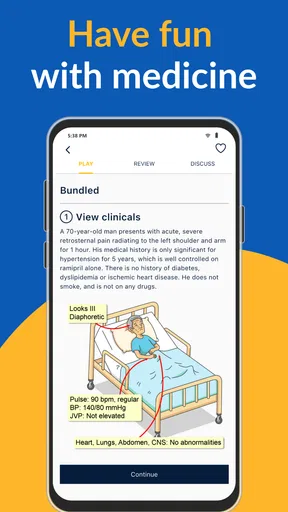
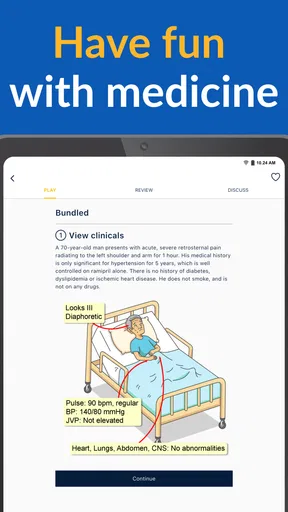
Clinical Odyssey is an educational app designed for medical students, professionals, and anyone with a keen interest in medicine. The app presents a variety of medical cases, allowing you to step into the shoes of a doctor. You're tasked with diagnosing patients based on their symptoms, diving into the intricacies of medical practice. Sounds exciting, right?
User Interface and Experience
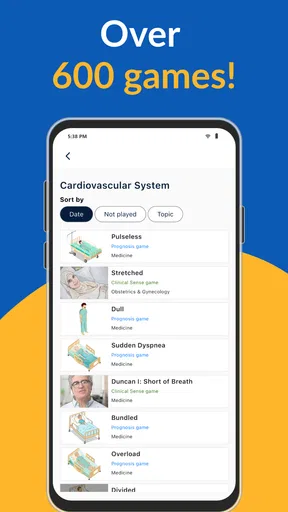
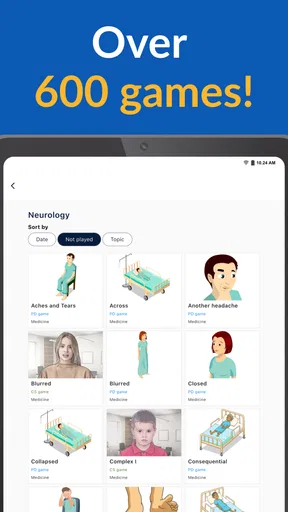
First off, let's talk about the user interface. The app boasts a clean and intuitive design, which makes navigating through the cases a breeze. Everything is well-organized, from the list of cases to the diagnostic tools at your disposal. The developers did a fantastic job ensuring that users can focus on learning without getting bogged down by clunky menus or confusing layouts.
One thing I particularly appreciated was how the app tailors the difficulty of cases to your level. Whether you're a beginner or a seasoned pro, there's something for everyone. The cases range from straightforward to downright challenging, keeping you engaged and eager to learn more.
Diving into the Cases
The heart of Clinical Odyssey lies in its diverse range of cases. Each case presents a unique medical scenario, complete with patient history, symptoms, and potential diagnostic paths. You get to play detective, piecing together clues and using your knowledge to arrive at a diagnosis.
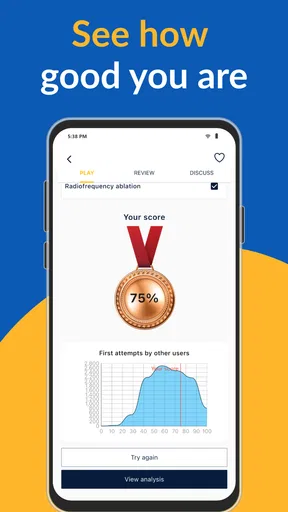
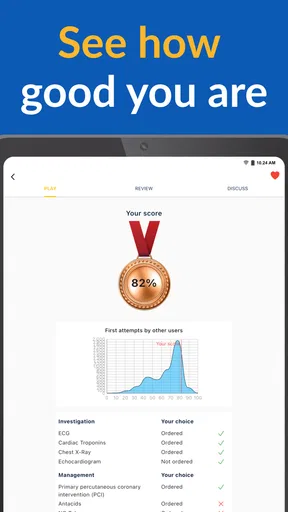
What I love about this app is how it encourages critical thinking. It's not just about finding the right answer; it's about understanding the process and reasoning behind it. The app provides detailed feedback on your choices, helping you learn and grow with each case.
Educational Value
For medical students and professionals, Clinical Odyssey offers a treasure trove of learning opportunities. The app covers a wide array of medical fields, from cardiology to dermatology, giving users a comprehensive overview of different specialties. This makes it an invaluable tool for anyone looking to broaden their medical knowledge.
Additionally, the app keeps things fresh with regular updates and new cases. This means you're always learning something new, and there's always a new challenge waiting around the corner. It's like having a never-ending classroom in your pocket!
Community and Support
Another great feature of Clinical Odyssey is its community aspect. Users can join discussions, share insights, and even collaborate on cases. This creates a supportive environment where learners can connect and grow together. Plus, the app offers robust support, with a helpful FAQ section and responsive customer service.
Final Thoughts
If you're passionate about medicine or just curious about the field, Clinical Odyssey is definitely worth checking out. It offers a unique blend of education and entertainment, making learning a truly enjoyable experience. Whether you're a student, a professional, or just a curious mind, this app has something to offer.
So, why not give it a shot? You might just find yourself hooked on solving medical mysteries and expanding your knowledge in ways you never expected. Happy diagnosing!
Who is likely to stick with it?
I think it has the clearest long-term role for learners who already encounter medical concepts in class or work and want a more active way to revisit them. A case can expose gaps in understanding that a chapter summary may leave hidden: perhaps you recognize a symptom but cannot explain how it changes the likely diagnosis. For a clinician, it may offer an informal mental workout, but it should not be treated as a clinical decision aid or a source for patient care.
For a general reader, the experience is more conditional. If you enjoy medical mysteries and do not mind pausing to look up unfamiliar terms, the cases may be an engaging introduction. If you want plain-language health guidance about your own symptoms, this is the wrong tool; contact an appropriate health professional instead. The difference matters because diagnosing fictional or educational cases is not the same as assessing a real person.
A small workflow that improves the payoff
One useful habit is to keep two separate notes after a case: the clue that changed your thinking, and the concept you still need to verify. That prevents a correct answer from creating false confidence. When returning later, review the unresolved concept first, then attempt a fresh case without relying on memory of the earlier answer. This is a simple way to make case practice feed into more deliberate study rather than becoming a string of one-off puzzles.
I would also avoid using the app only when you have a long stretch of free time. A short session can work well, but stopping at a natural point is better than beginning a complicated case when you have to leave immediately. If interruptions are common, jot down the question you were considering before putting the phone away; that gives you a clear place to resume without pretending that every session needs to be uninterrupted.
What to check before making it your regular tool
Before building a study plan around it, I would test whether the cases match your current level and whether their explanations address the reasoning you want to practice. Try approaching a case in two passes: first make your best assessment, then revisit the feedback and identify what evidence supported or weakened it. If you consistently need a different kind of explanation, a course resource or reference text will serve you better, and there is no need to force this format into your routine.
It is also sensible to decide in advance what would justify an optional purchase. For example, you might want access to material that addresses a specific learning goal, rather than paying simply because you have used the app for a few days. Since purchases can vary considerably in cost, I would compare the benefit with alternatives you already have and keep the free experience as the test of whether the case format itself suits you.
My lasting take
Clinical Odyssey earns a place on my phone if I use it as a focused supplement: a way to practice connecting clinical clues, notice weak spots, and generate questions for deeper study. Its appeal is not that a quick case replaces a course, but that it can make a small pocket of spare time more mentally engaging. The strongest reason to return is the reasoning exercise; the weakest is expecting endless novelty to create a lasting habit by itself.
I would recommend trying it if you are studying medicine, enjoy structured diagnostic puzzles, and are comfortable pairing an app with more complete learning materials. I would skip it as a main resource if you need a carefully sequenced curriculum, straightforward memorization drills, or guidance about a real health concern. Start with a modest routine, judge the explanations by whether they genuinely clarify your thinking, and keep it only if that value remains after the novelty fades.
Pros
- Engaging medical case simulations.
- User-friendly interface.
- Regular content updates.
- Educational and entertaining.
- Supports continued learning.
Cons
- Limited offline access.
- Requires consistent internet connection.
- Some cases are too complex.
- Occasional in-app ads.
- Limited free content.
FAQs for Clinical Odyssey
What is Clinical Odyssey and who is it for?
Clinical Odyssey is an educational app designed primarily for medical professionals and students. It offers interactive case studies and quizzes to enhance clinical knowledge and decision-making skills. The app is ideal for those seeking to deepen their understanding of various medical conditions and improve their diagnostic abilities.
How does Clinical Odyssey help improve medical knowledge?
Clinical Odyssey provides a wide range of case studies drawn from real-life scenarios, allowing users to practice diagnosing and treating patients in a simulated environment. The interactive format encourages active learning, while detailed explanations and feedback help users identify areas for improvement, thus enhancing their overall medical knowledge.
Is Clinical Odyssey available on both Android and iOS platforms?
Yes, Clinical Odyssey is available for download on both Android and iOS devices. Users can find the app on the Google Play Store for Android and the Apple App Store for iOS. This cross-platform availability ensures that users can access the app's resources regardless of their preferred device.
Does Clinical Odyssey require an internet connection to function?
While some features of Clinical Odyssey, such as downloading new case studies and updates, require an internet connection, many of the core functionalities can be accessed offline. This allows users to continue their learning and exploration even when they are not connected to the internet.
Are there any in-app purchases or subscription fees associated with Clinical Odyssey?
Clinical Odyssey offers a range of free content, but some advanced features and additional case studies may require in-app purchases or a subscription. These options provide users with access to a broader array of resources and more in-depth content, enhancing their educational experience.


